All guides
Start here
Customers and billing
Hotspot
Network
- Devices, OLTs and ONUs
- Routers, RADIUS and sessions
- TR-069 and remote ONU setup
- Zones, nodes, topology and the map
Support and messaging
Your team and settings
For your subscribers
Troubleshooting
On this page
Connect to the Wi-Fi#
- On your phone, open Wi-Fi settings and pick your provider's Wi-Fi name.
- A page with internet packages opens by itself. If it doesn't, open your browser and go to any website. The page will appear.
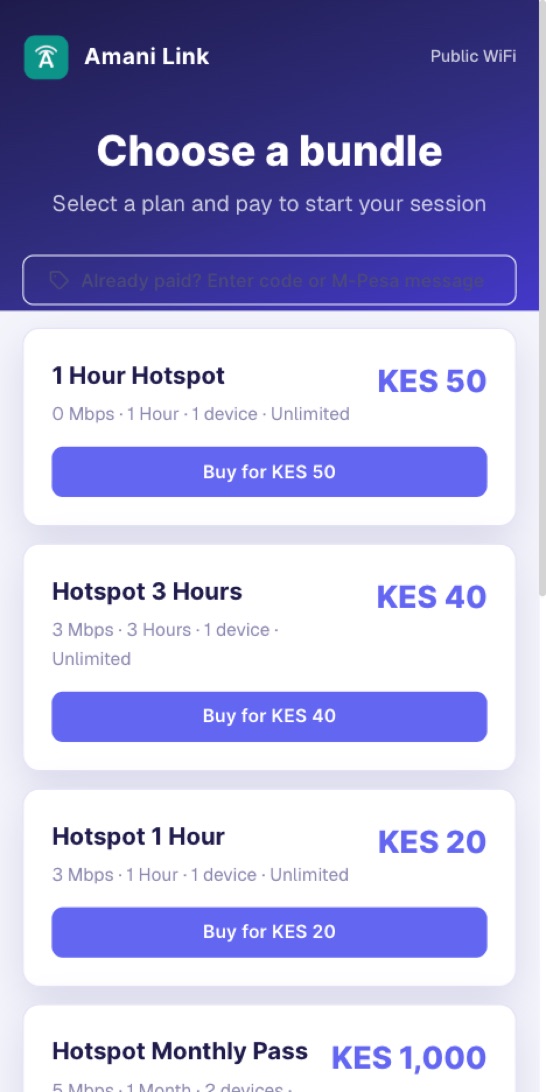
Each package shows its price, how long it lasts, its speed and how many devices can use it.
Buy a package with M-Pesa#
- Tap the package you want, for example Buy for KES 50.
- Leave Connect now selected to use the internet on this phone.
- Type your M-Pesa Phone Number, for example
0712 345 678, and press Pay KES 50.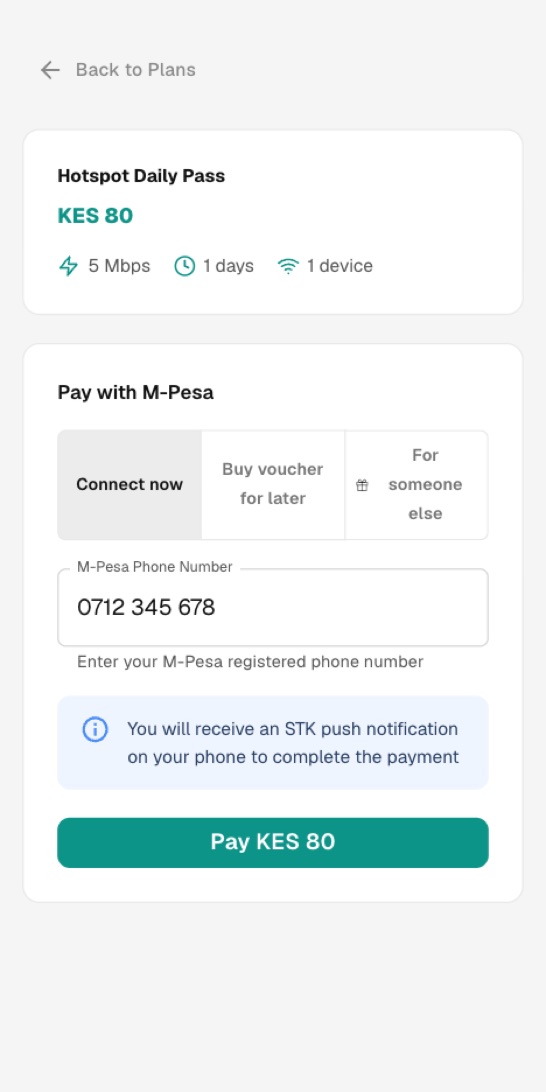
- The page says Check Your Phone. Enter your M-Pesa PIN.
- When the money arrives you see Payment Confirmed! and you are connected. The page shows Your WiFi Voucher Code, and the code is also sent to you by SMS. Keep it.
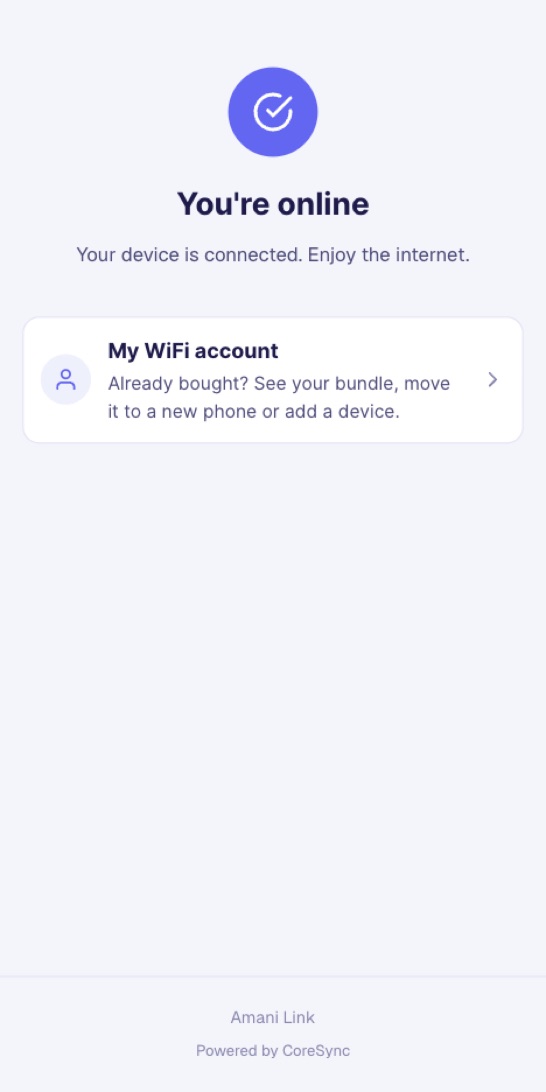
A free package says Connect Free or Claim Free Trial. Tap it and you are online, no payment needed.
Buy for later, for someone else, or for a TV#
On the payment form you can choose:
- Buy voucher for later: pay now and get a voucher code by SMS. Use it when you are ready.
- For someone else: type Their phone number. You pay, and the code is sent to them by SMS.
- For a TV: type the TV's MAC address. You find it on the TV under Settings → Network, or About.
Your provider decides which of these you see.
Use a voucher code#
Got a voucher code from a shop, a friend or an SMS? Use it like this.
- Connect to the Wi-Fi so the packages page opens.
- Tap Already paid? Enter code or M-Pesa message.
- Choose Voucher Code, type your code, for example
ACD3X7, and press Connect.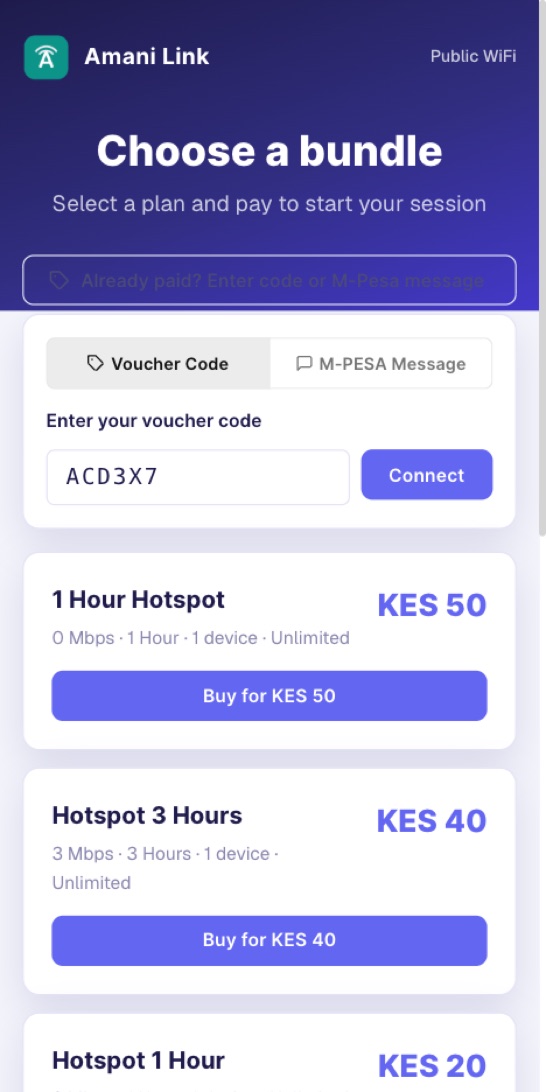
Paid, but not online?#
If you paid but the page didn't connect you, use your M-Pesa SMS.
- Tap Already paid? Enter code or M-Pesa message, then M-PESA Message.
- Copy the whole M-Pesa confirmation SMS and paste it in the box.
- Press Redeem & Connect.
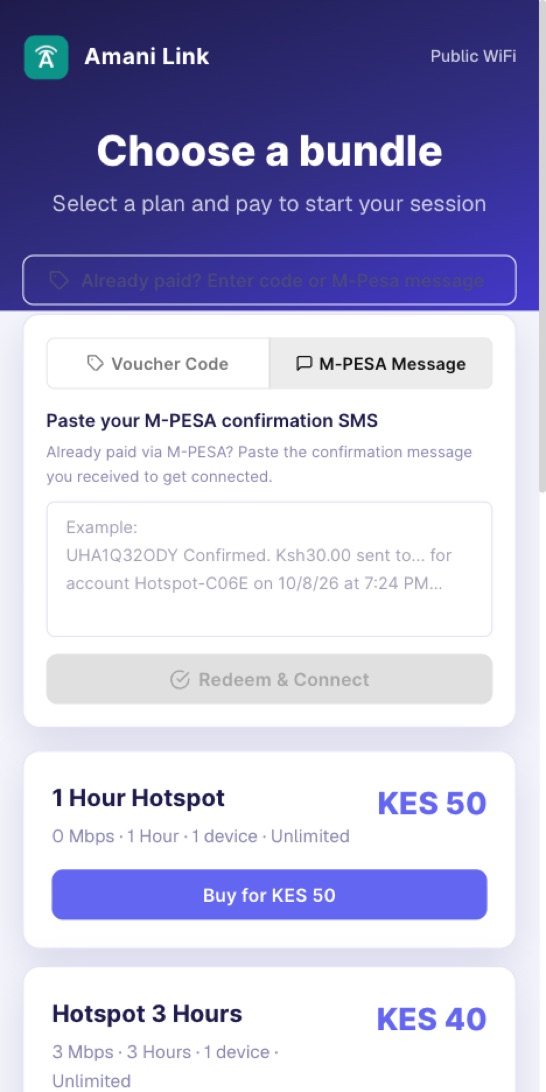
This only works for money your provider really received. Each M-Pesa message works once. If it doesn't work, call your provider with the M-Pesa code.
Get back online#
Same phone, package still running: connect to the Wi-Fi and open the packages page. It usually puts you back on by itself. If you see You already have access on this device, tap Reconnect.
New phone, or another device: use your WiFi account.
- On the packages page, tap My WiFi account.
- Type the Phone number you paid with and press Send me a code.
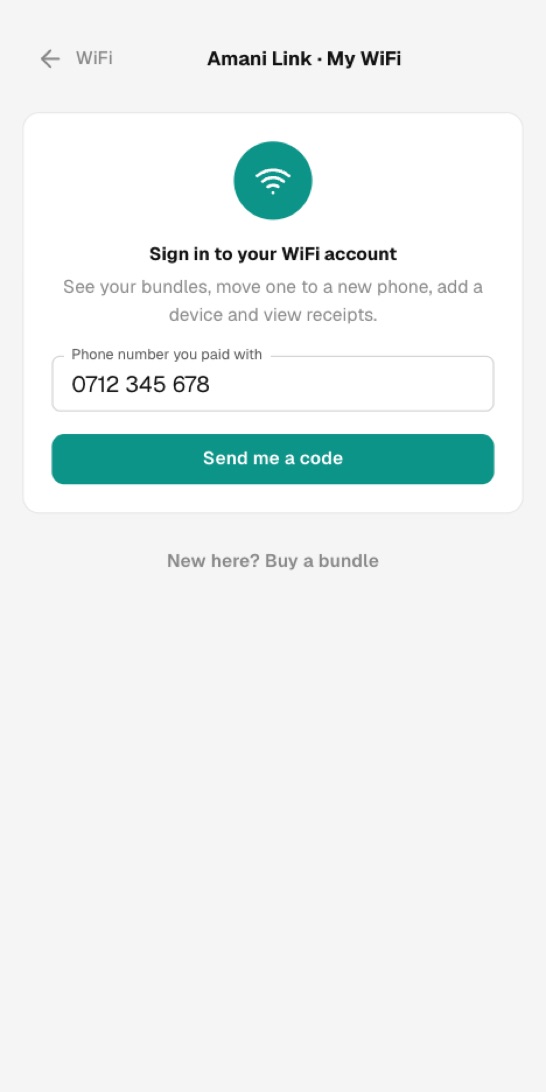
- Type the 6-digit code from the SMS and press Sign in.
- Find your package and tap Use on this device. If the package already has all its devices, pick one to take off. That device is disconnected.
In your WiFi account you can also see all your packages, name or remove devices, start a package you bought for later, add a voucher code and see your receipts.